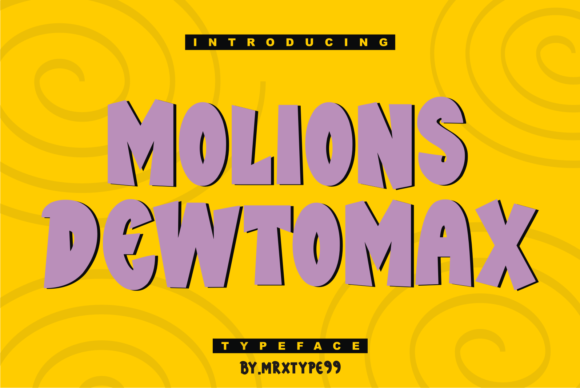
Shakifa: The Playful Font That Transforms Your Creative Projects
If you are looking to add a touch of personality to your designs, Shakifa stands out as a playful and friendly display font that can instantly elevate the visual tone of your work. Whether you are a small business owner designing a menu, a blogger creating an eye-catching header, or a hobbyist making stickers for a local market, this typeface offers a unique charm. However, just because it looks fun does not mean it is automatically the right choice for every situation. Many creators rush to download fonts without considering how they will function in their specific context, leading to projects that feel disjointed or unprofessional.
The appeal of Shakifa lies in its approachable nature. It is designed to be used in various projects such as greeting cards, invitations, stickers, posts, decorations, and much more. Its curves and character suggest warmth and creativity, making it perfect for events, brands targeting families, or any content that aims to build a personal connection with the audience. Yet, there are common pitfalls when selecting and applying this font that can undermine your efforts. Understanding these nuances is the difference between a design that feels intentional and one that looks like a mistake.
Common Mistakes When Using Display Fonts Like Shakifa
One of the most frequent errors designers make is assuming that a "display" font is suitable for long blocks of text. While Shakifa is excellent for headlines, titles, and short phrases, it often struggles when used for body copy. The playful nature of the letters, while charming in isolation, can become visually exhausting when read over several paragraphs. This mistake affects readability significantly, causing your audience to lose interest or struggle to comprehend your message. If you use Shakifa for a recipe blog post or a detailed service description, you risk alienating readers who prefer clarity over style.
Another overlooked detail is the lack of contrast between the font and the background. Because Shakifa has distinct features and varying stroke widths, placing it on a busy or patterned background can make the text illegible. Beginners often prioritize matching colors over ensuring legibility, resulting in a design that looks good in theory but fails in practice. This issue directly impacts usability and efficiency; if a customer cannot read your invitation or sticker, the entire purpose of the communication is lost. Always ensure there is sufficient space and color separation to let the font breathe.
Misunderstanding the licensing terms is also a critical area where many professionals stumble. Some users assume that because a font looks free or is found on a random site, it can be used commercially without restriction. Using a font like Shakifa without verifying its license can lead to legal complications, unexpected costs, and the need to redo your work entirely. This not only wastes time but can damage your reputation as a reliable creator or business owner. Before you start designing, always check the end-user license agreement (EULA) to confirm whether the font allows commercial use, modification, or distribution.
Why These Errors Matter for Your Results
When you overlook these details, the consequences extend beyond simple aesthetics. Poor font choices affect the perceived quality of your brand. A logo or poster that uses a display font incorrectly can appear amateurish, reducing trust among potential clients. For educators and freelancers, this loss of credibility can translate into fewer bookings or lower conversion rates. Furthermore, using a font that is difficult to read on mobile devices can hurt your search engine optimization (SEO) efforts indirectly, as users may bounce from your page if they cannot engage with the content quickly.
To avoid these issues, consider the hierarchy of your design. Use Shakifa for what it was made for: attention-grabbing elements. Pair it with a clean, neutral sans-serif or serif font for any explanatory text. This combination creates a balanced look where the playfulness of Shakifa shines without overwhelming the information. Additionally, always test your designs at different sizes. A headline that looks great on a desktop monitor might become unreadable on a smartphone screen or when printed on a small sticker. Checking these variations early saves money and frustration later.
Evaluating Shakifa for Your Specific Needs
Before downloading or purchasing Shakifa, take a moment to evaluate if it truly fits your project's goals. Ask yourself what emotion you want to convey. If you are aiming for a serious corporate report or a medical brochure, this font might send the wrong signal. However, for a birthday party invitation, a children's book cover, or a promotional social media post, it is likely an ideal match. Comparing Shakifa with other similar fonts can help you refine your decision. Look at the weight, spacing, and character set to ensure it supports the languages and symbols you need.
It is also important to consider the technical aspects of the file. Ensure that the font family includes multiple weights and styles if your project requires emphasis or variety. Sometimes, a single style limits your ability to create depth in your design. By checking the available options beforehand, you can plan a cohesive system rather than improvising with limited tools. This proactive approach ensures that your final output is polished and professional.
- Check the License: Verify if the font is free for commercial use or requires a paid license.
- Test Readability: Write a sample paragraph to see how the font handles extended text.
- Review Character Set: Ensure all necessary symbols, accents, and punctuation marks are included.
- Assess Context: Determine if the playful tone matches your brand identity or event theme.
Practical Advice for Better Design Outcomes
To get the most out of Shakifa, integrate it thoughtfully into your workflow. Start by sketching your layout on paper or digitally before committing to the font. This helps you visualize how the playful curves interact with other elements. Remember that less is often more; using Shakifa sparingly can make it more impactful. Instead of filling every corner of a flyer with the font, use it to highlight key dates, names, or calls to action. This strategic placement guides the viewer's eye and enhances the overall communication.
For those working on invitations or greeting cards, pair Shakifa with elegant handwriting scripts or simple geometric shapes to create a dynamic composition. The contrast between the structured layout and the organic feel of the font adds a layer of sophistication. Don't be afraid to experiment with kerning and tracking. Adjusting the space between letters can prevent the text from looking too cramped or too loose, which is crucial for maintaining a high-quality presentation. With careful planning and attention to these details, Shakifa becomes more than just a font; it becomes a powerful tool for storytelling and engagement.
Ultimately, the success of your design depends on your ability to balance creativity with functionality. By avoiding common mistakes and approaching Shakifa with a clear understanding of its strengths and limitations, you can create projects that are both beautiful and effective. Whether you are decorating a room, launching a product, or sharing a personal message, choosing the right typography is a step toward achieving your vision with confidence.